Updated June 23, 2026. Carrd is still one of the easiest ways to publish a simple one-page website, portfolio, link-in-bio page, affiliate bridge page, or lightweight landing page. But it is not always the best fit once you need deeper ecommerce, AI site generation, built-in analytics, advanced SEO, blogging, a CMS, A/B testing, or a larger business website.
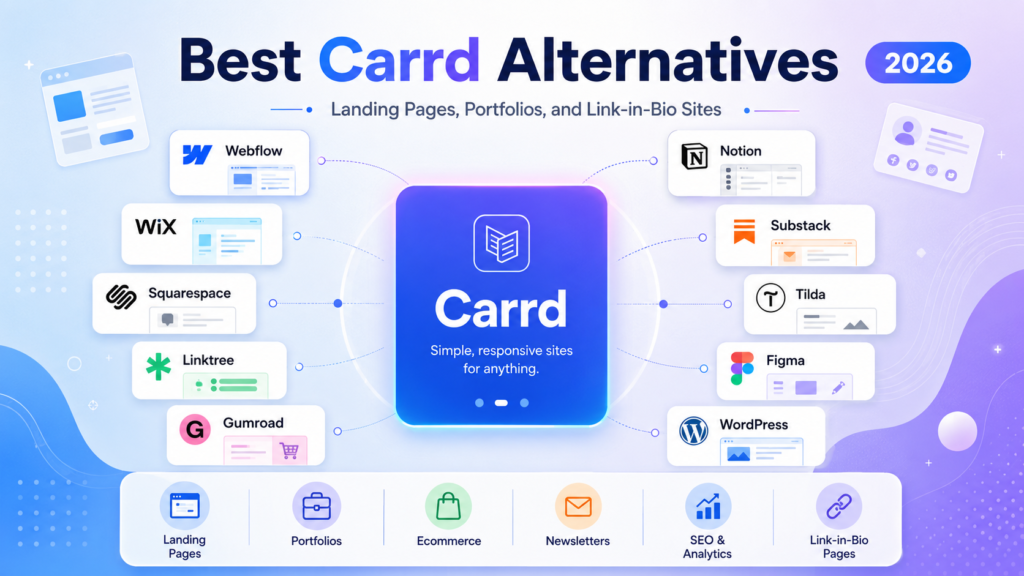
This guide compares the best Carrd alternatives for creators, affiliate marketers, freelancers, coaches, agencies, small business owners, and founders. It includes current pricing notes, free plan limits, custom domain availability, ecommerce support, AI website builder features, SEO tools, link-in-bio analytics, CMS/blogging support, screenshot policy, and plan-name changes since the original SmartBizTools draft.
SmartBizTools Internal Reading Path
Use this article with the rest of the Carrd cluster so your internal links support the full topic instead of leaving this page isolated:
- Carrd Review 2026 – the pillar review for pricing, features, pros, cons, and use cases.
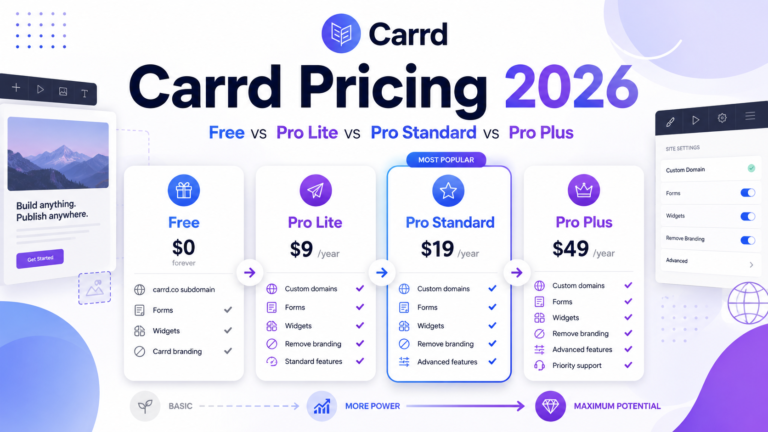
- Carrd Pricing 2026 – a closer look at Free, Pro Lite, Pro Standard, and Pro Plus.
- Carrd SEO Guide – how to rank a one-page Carrd website realistically.
- Carrd for Affiliate Marketing – how to build affiliate bridge pages with disclosures and tracking.
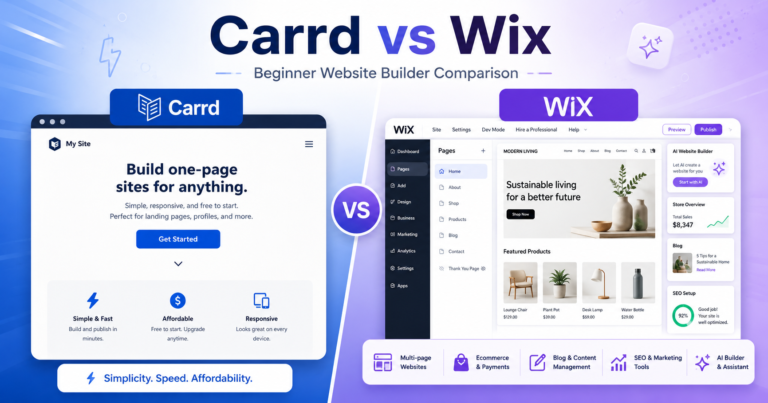
- Carrd vs Linktree and Carrd vs Wix – focused comparison pages.
- SmartBizTools AI Tools Directory – compare AI tools that help write copy, design pages, improve SEO, and automate follow-up.
- SmartBizTools Comparisons – compare business software before choosing a website stack.
What To Look For In a Carrd Alternative
The best Carrd alternative depends on why Carrd feels limiting. A creator who only wants a better social bio page needs a very different tool from a founder building a startup site, a local business that needs ecommerce, or an affiliate marketer publishing SEO content.
- Free plan limitations: Can you publish for free, and does the free plan show branding, limit traffic, block custom domains, or restrict ecommerce?
- Custom domain availability: Serious business pages should usually use a branded domain, not only a platform subdomain.
- Ecommerce availability: Check whether the platform supports checkout, digital products, subscriptions, appointments, donations, or just outbound links.
- AI website builder features: Some tools now create pages from prompts, write copy, generate sections, route traffic, or analyze conversion performance with AI.
- SEO feature availability: At minimum, look for editable titles, descriptions, headings, URLs, image alt text, redirects, sitemap support, and analytics integrations.
- Link-in-bio analytics: For creators, link clicks, unique views, CTR, traffic sources, and product clicks matter more than traditional CMS features.
- CMS and blogging availability: If organic search is the plan, prioritize a tool with real publishing depth, not only a single landing page.
Carrd Baseline: What You Are Replacing
Before choosing an alternative, benchmark it against Carrd. Carrd’s official documentation still lists three Pro plans: Pro Lite, Pro Standard, and Pro Plus. Pro Lite is $9/year, Pro Standard is $19/year, and Pro Plus is $49/year. Pro Standard adds custom domains, forms, widgets, embeds, analytics, and meta tags, while Pro Plus adds advanced forms, redirects, password protection, site files, canonical URLs, and site downloads.
| Feature | Carrd Position |
|---|---|
| Free plan | Good for testing basic one-page sites, but business features are limited. |
| Custom domain | Available from Pro Standard, not Pro Lite. |
| Ecommerce | No full native store. Uses widgets/embeds such as Stripe, PayPal, Gumroad, and similar tools. |
| AI website builder | No native AI site builder in the same way Wix, Framer, Landingi, or Leadpages position AI features. |
| SEO | Useful for simple one-page SEO. Pro Standard includes meta tags; Pro Plus includes advanced options such as canonical URL and site files. |
| Analytics | Pro Standard and Pro Plus support third-party analytics integrations. |
| CMS/blogging | Not a real CMS or blog platform. Use WordPress.com, Webflow, Framer, Wix, or Squarespace if publishing content is central. |
Best Carrd Alternatives: Current Pricing and Feature Matrix
Pricing last checked: June 23, 2026. Pricing can vary by location, billing period, currency, tax, promotions, and account status. Always check the official pricing page before buying.
| Alternative | Current pricing snapshot | Free plan limitations | Custom domain | Ecommerce | AI features | SEO features | Analytics | CMS/blogging |
|---|---|---|---|---|---|---|---|---|
| Wix | Free; paid plans shown on the official page include Light around $17.77/mo, Core around $29.77/mo, Business around $39.77/mo, and Business Elite around $159.77/mo in the displayed region. | Free plan uses Wix branding/subdomain and lacks serious business features. | All paid plans list custom domain support; annual plans commonly include a free domain for one year. | Core and above show payment/ecommerce capabilities; Business and Business Elite expand ecommerce and business tools. | Strong: Wix lists AI creation tools and an AI website builder. | Strong built-in SEO and marketing tools for small business websites. | Website analytics and marketing suite features are available by plan. | Yes: Wix supports blogs and broader business websites. |
| Framer | Free; Basic $10/mo yearly; Pro $30/mo yearly; Enterprise custom. | Free plan is best for exploration and Framer-domain publishing; custom domain requires a paid site plan. | Available on paid plans; yearly Basic/Pro list a free custom domain. | Not a native ecommerce platform. Use embeds, integrations, or external checkout. | Strong: Framer includes credits for Agents and other AI features. | Built-in SEO on paid plans; Pro adds redirects, staging, branching, and stronger publishing controls. | Analytics history is included by plan, with longer retention on higher tiers. | Yes: Basic includes CMS collections; Pro expands CMS collections and items. |
| Webflow | Starter free; Basic $15/mo yearly; Premium $25/mo yearly for content-rich CMS sites; ecommerce plans include Standard/Plus/Advanced, with Advanced shown at $212/mo yearly. | Starter publishes to a Webflow subdomain and has tight page/CMS limits. | Basic and Premium support custom domains. | Yes, via separate ecommerce plans. | Webflow AI is listed on Basic and higher, with add-on AI credits also available. | Strong: custom domains, redirects, CMS SEO, site search, and advanced design/publishing controls by plan. | Available through Webflow features and integrations; content-rich sites often pair with external analytics. | Yes: Premium includes Webflow CMS; Basic is for simple sites that do not need CMS. |
| Squarespace | No permanent free plan; 14-day trial. Current plan names are Basic, Core, Plus, and Advanced. Public 2026 pricing commonly appears around $16/mo, $23/mo, $39/mo, and $99/mo when billed annually. | Trial only; publishing requires a paid plan. | Annual paid plans include a free custom domain for one year; existing domains can be connected. | Yes. Squarespace supports selling products/services; Core, Plus, and Advanced improve commerce terms and analytics. | Strong: Squarespace lists AI Website Builder, Design Intelligence, and Squarespace AI. | Good built-in SEO for small business and creative sites. | Basic website metrics and deeper commerce/traffic insights by plan. | Yes: blogs, portfolios, content memberships, and business pages are supported. |
| WordPress.com | Free; Personal $4/mo annually; Premium $8/mo annually; Business $25/mo annually; Commerce $45/mo annually. Multi-year billing may show lower equivalent monthly rates. | Free plan uses a WordPress.com subdomain, displays WordPress.com ads, and has basic limits. | Paid annual and multi-year plans include a free domain for the first year; free plan uses a subdomain. | Commerce plan is built for ecommerce; Business also unlocks plugins for more commerce options. | AI assistant/tools are available with usage limits or enhanced access depending on plan. | Strongest for publishing and organic content when configured well. | Visitor stats, Jetpack-powered insights, and plugin-based analytics on higher tiers. | Excellent: full CMS/blogging is the main reason to choose it over Carrd. |
| Linktree | Free, Starter, Pro, and Premium plans. Pricing varies by market and billing period; verify on Linktree’s pricing page. | Free is useful for basic link-in-bio needs, but advanced branding, commerce, integrations, analytics exports, and support improve on paid plans. | Custom domain/short-link options are plan-dependent. | Yes for creator commerce workflows, store embeds, tips, payments, and integrations, with plan-dependent fees/features. | AI is less central than creator commerce and link management. | Basic profile discoverability rather than full website SEO. | Strong link-in-bio analytics, including clicks, views, CTR, and data export on eligible plans. | No full CMS/blogging; use it as a social traffic router. |
| Beacons | Free; Creator around $10/mo; Creator Plus around $30/mo; Creator Max around $90/mo. The Beacons homepage currently highlights Creator Plus at $30/mo. | Free plan includes link-in-bio, media kit, digital product selling, email limits, and seller fees. | Paid plans support custom domains; Creator Plus highlights a free custom domain. | Yes: digital products, courses, memberships, affiliate links, BNPL on higher tiers, and reduced/zero seller fees by plan. | Strong creator AI positioning: AI credits, media kit, outreach, auto-DM, and creator tools. | Advanced SEO/marketing features are paid-plan items. | Real-time analytics and creator/media-kit metrics are core strengths. | No traditional CMS/blog; best for creator hubs and monetization pages. |
| Taplink | Official pricing page confirms free and paid plans, but does not expose full prices in every region. Taplink’s own 2026 blog describes Basic free, Pro about $4/mo annually, and Business about $8/mo annually for U.S. users. | Free plan is for simple pages, links, text, and themes. | Business plan is the safer choice for custom domain and SSL; some pricing pages describe Pro/Business differences by region. | Business supports collecting leads, selling digital products, accepting tips/donations, and payment workflows. | Not primarily an AI website builder. | Basic page SEO and tracking; not a deep SEO publishing system. | Pageviews and link-click analytics; Business is better for conversion and lead capture. | No real CMS/blog; best for link-in-bio and mini landing pages. |
| Landingi | Build starts at $24/mo annually; Optimize $119/mo annually; Scale from $229/mo annually; Enterprise from $1199/mo according to the official pricing page summary. Official page also lists a 14-day trial. | Trial-first platform; plan limits focus on landing pages, visits, domains, and credits. | Build includes 1 custom domain; Optimize includes 3; Scale includes 10. | Yes for campaign landing pages and ecommerce-oriented landing pages, especially on Optimize and above. | Strong: Lunar AI page generator, AI landing page tools, AI assistants, Solis AI insights, and AI credits. | Good landing-page SEO tools, AI SEO/copy support, and optimization features. | Basic analytics on Build; EventTracker, AI insights, A/B testing, and deeper optimization on higher tiers. | No traditional blog/CMS. Best for campaign pages, not content hubs. |
| Unbounce | 14-day trial. Starter $22/mo yearly ($29 monthly), Build $74/mo yearly ($99 monthly), Experiment $112/mo yearly ($149 monthly), Optimize $187/mo yearly ($249 monthly), with Concierge/Agency custom. | No permanent free plan; trial has limits such as one user, no custom domains, and traffic restrictions. | Starter and Build include 1 root domain; Experiment includes 2; Optimize includes 3; higher custom plans start higher. | Mostly landing-page conversion workflows, not a native store builder. | AI copywriting from Build; AI traffic optimization on Optimize. | Good for paid-search landing pages and conversion workflows; less suited for large SEO content sites. | Strong CRO analytics, A/B testing, conversion insights, dynamic text replacement, and reporting on higher plans. | No full CMS/blog; use for campaign pages. |
| Leadpages | Grow regularly $99/mo, currently promoted at $49/mo for first 3 months; Optimize regularly $199/mo, promoted at $99/mo for first 3 months; Scale $399/mo. 7-day free trial. | No long-term free plan, but trial does not require a credit card. | All plans include custom domains with SSL; Grow lists 10 custom domains, Optimize 20, Scale 30. | Yes: forms, webhooks, ecommerce use cases, Stripe/Shopify integrations, websites, and blogs. | Strong: AI page creation, AI credits, Smart Traffic on Optimize, and full auto-optimization on Scale. | Good for landing pages and websites; not as flexible as WordPress for deep SEO publishing. | Real-time analytics, A/B testing on every plan, heatmaps from Optimize, and analytics retention by plan. | Yes: Leadpages now lists websites and blogs on all plans. |
| Systeme.io | Free; Startup $17/mo; Webinar $47/mo; Unlimited $97/mo. | Free supports up to 2,000 contacts, 3 sales funnels, 1 blog, 1 course, 1 affiliate program, and 1 custom domain. | Yes, even free includes 1 custom domain according to the official pricing FAQ. | Yes: funnels, courses, affiliate management, physical products, payments, and email marketing. | Not positioned as an AI website builder; strongest as an all-in-one funnel/email/course tool. | Basic site/funnel SEO; not the strongest SEO CMS. | Useful funnel/email metrics; not a link-in-bio analytics specialist. | Includes 1 blog on Free and more capacity on paid plans, but not as mature as WordPress for content-heavy SEO. |
Best Carrd Alternative by Use Case
| Use case | Best choice | Why |
|---|---|---|
| Full small business website | Wix or Squarespace | Both include templates, business tools, SEO basics, analytics, ecommerce options, and AI-assisted website creation. |
| Modern startup landing page | Framer | Excellent design workflow, CMS support, AI credits, custom domains, and strong visual polish. |
| Advanced design and scalable CMS | Webflow | Best for teams that need custom design control, CMS collections, hosting, redirects, and ecommerce options. |
| SEO content hub or blog | WordPress.com | Best long-term publishing system for posts, categories, internal links, plugins, and organic content strategy. |
| Simple social bio page | Linktree | Fast, familiar, and analytics-focused for creators who mainly route social followers to links. |
| Creator monetization hub | Beacons | Combines link-in-bio, digital products, email, media kits, affiliate links, analytics, and AI creator tools. |
| Low-cost mini landing page with payments | Taplink | Useful for creators and service businesses that need links, forms, messenger buttons, and payment blocks. |
| Paid ad landing pages | Unbounce or Leadpages | Both focus on conversion optimization, A/B testing, and paid traffic landing page workflows. |
| High-volume campaign pages | Landingi | Best when teams need many landing pages, AI-assisted creation, event tracking, A/B testing, and campaign operations. |
| Funnels, email, courses, affiliate management | Systeme.io | Strongest if Carrd feels too limited because you need a business funnel system instead of just a page. |
Free Plan Limitations Compared
Free plans are useful for testing, but they rarely replace a paid business setup. The main limits are branding, subdomains, traffic caps, missing custom domains, missing analytics, missing ecommerce, or missing SEO controls.
- Wix: free plan is good for testing, but serious business use needs a paid plan for branding, domain, and payments.
- Framer: free plan is good for exploration; custom domain requires a paid plan.
- Webflow: Starter is limited and publishes on a Webflow subdomain.
- Squarespace: no permanent free plan; 14-day trial only.
- WordPress.com: free plan has WordPress.com ads and a WordPress.com subdomain.
- Linktree: free works for basic links, but advanced analytics/export, branding, commerce, and support improve on paid tiers.
- Beacons: free works for creators, but has seller fees and limits on email/advanced marketing.
- Taplink: free is mainly for simple pages with links, text, and basic blocks.
- Landingi, Unbounce, Leadpages: better thought of as paid/trial conversion platforms rather than free website builders.
- Systeme.io: unusually generous free plan for funnels, email, blog, course, affiliate program, and custom domain, but with funnel/course/contact limits.
Custom Domain Availability
If your page is for a real business, affiliate site, landing page, or portfolio, use a custom domain as soon as possible. Carrd requires Pro Standard or Pro Plus for custom domains. Wix, Squarespace, WordPress.com, Framer, Webflow, Leadpages, Unbounce, Landingi, Systeme.io, Beacons, and Taplink all support custom domains, but the plan required varies.
The easiest custom-domain paths are usually Wix, Squarespace, WordPress.com, Leadpages, Systeme.io, Framer Basic, and Webflow Basic/Premium. Link-in-bio tools often gate custom domain features behind paid creator plans.
Ecommerce Availability
Carrd can embed ecommerce widgets, but it is not a full ecommerce platform. If selling is central, choose based on the product type:
- Physical products: Wix, Squarespace, Webflow ecommerce, WordPress.com Commerce, or Leadpages with integrations.
- Digital products and creator monetization: Beacons, Systeme.io, Squarespace, WordPress.com, or Leadpages.
- Simple payments, tips, or service booking: Taplink, Linktree, Squarespace, Wix, or Carrd with embeds.
- Campaign landing pages that connect to checkout: Leadpages, Unbounce, Landingi, or Webflow.
AI Website Builder Features
AI is now one of the biggest differences between Carrd and its alternatives. Carrd remains intentionally lightweight, while several alternatives now use AI to generate pages, sections, copy, traffic routing, or recommendations.
- Best AI website builder experience: Wix, Squarespace, Framer, Landingi, and Leadpages.
- Best AI for conversion optimization: Leadpages, Unbounce, and Landingi.
- Best AI for creators: Beacons.
- Best AI-assisted publishing stack: WordPress.com plus AI writing, SEO, analytics, and automation tools from the SmartBizTools AI Tools Directory.
SEO Feature Availability
For SEO, the decision is simple: Carrd can rank a focused one-page site, but it is not the best choice for a large content strategy. If your growth plan depends on organic traffic, compare alternatives by publishing depth.
- Best for serious SEO content: WordPress.com.
- Best for design-led marketing SEO: Webflow or Framer.
- Best for beginner business SEO: Wix or Squarespace.
- Best for landing page SEO: Leadpages, Landingi, Unbounce, or Webflow.
- Not ideal for SEO content hubs: Linktree, Beacons, Taplink, and Carrd unless the goal is a narrow branded or one-page keyword.
For deeper SEO work, pair your builder with keyword research, analytics, and content optimization tools from SmartBizTools.io.
Link-in-Bio Analytics Features
If most traffic comes from Instagram, TikTok, YouTube, X, LinkedIn, or newsletters, link-in-bio analytics can be more important than blogging tools.
- Linktree: strong analytics for total clicks, CTR, views, unique clicks, data export, and link performance by plan.
- Beacons: strong creator analytics and media-kit metrics for creators, brand deals, and product sales.
- Taplink: pageview and link-click analytics, with stronger conversion features on paid/business plans.
- Carrd: relies more on third-party analytics integrations.
CMS and Blogging Availability
CMS and blogging are where Carrd alternatives separate sharply. If you only need one landing page, Carrd is often enough. If you need content clusters, SEO articles, comparison pages, tutorials, and evergreen traffic, choose a CMS-friendly platform.
- Best CMS/blog: WordPress.com.
- Strong visual CMS: Webflow.
- Modern lightweight CMS: Framer.
- Beginner-friendly blog/site combo: Wix or Squarespace.
- Limited/no true blogging: Carrd, Linktree, Beacons, Taplink, Landingi, and Unbounce.
- Funnels plus simple blog: Systeme.io.
- Landing pages plus blogs: Leadpages now lists websites and blogs on all plans.
Any Screenshots Used In This Article?
No product screenshots are used in this updated version of the article. This avoids the common problem of showing outdated pricing screenshots after plan names, UI layouts, or promotional pricing changes.
If screenshots are added later, they should be current, dated, compressed, and captioned with the source and date captured. Do not use fake dashboards, fake pricing screenshots, fake ratings, fake testimonials, or generated screenshots that look like real product UI.
Plan Name Changes Since the Original Draft
Several plan names and pricing structures have changed or should be rechecked before publishing:
- Carrd: still uses Pro Lite, Pro Standard, and Pro Plus in the official documentation.
- Wix: current public plan names include Light, Core, Business, and Business Elite.
- Framer: current public plans include Free, Basic, Pro, and Enterprise.
- Webflow: current site plan language highlights Starter, Basic, and Premium; ecommerce plans remain separate.
- Squarespace: current plans are Basic, Core, Plus, and Advanced in the newer pricing model; older references to Personal, Business, Basic Commerce, and Advanced Commerce should be updated.
- Leadpages: current plans are Grow, Optimize, and Scale. The official page notes that older Standard and Pro accounts map into the newer plan experience.
- Linktree: Free, Starter, Pro, and Premium remain the main public plan labels.
- Beacons: current public messaging emphasizes Free and Creator Plus, with Creator/Creator Max tiers appearing in pricing summaries.
- Systeme.io: current plans remain Free, Startup, Webinar, and Unlimited.
- Taplink: current public page confirms free and paid plans, but exact prices vary by region and billing period; use current official pricing at purchase time.
Final Verdict: Which Carrd Alternative Should You Choose?
If you only need a fast one-page site, Carrd remains hard to beat on simplicity and price. But if your website is becoming a business system, the best alternative depends on the job:
- Choose Wix if you want the broadest beginner-friendly business website builder with AI, ecommerce, bookings, blogs, and built-in marketing tools.
- Choose Squarespace if design polish, service-business pages, creative portfolios, and polished ecommerce matter more than deep customization.
- Choose Framer if you want a modern, high-end startup or creator site with strong visual design and CMS options.
- Choose Webflow if you need a serious design/CMS platform and are comfortable with more setup complexity.
- Choose WordPress.com if SEO content, blogging, and long-term publishing are your priority.
- Choose Linktree, Beacons, or Taplink if your primary need is a social bio page with analytics, creator links, and simple monetization.
- Choose Landingi, Unbounce, or Leadpages if paid traffic, landing page testing, conversion optimization, and campaign analytics matter most.
- Choose Systeme.io if you need funnels, email marketing, courses, affiliate management, and simple pages in one budget-friendly platform.
Official Pricing and Feature Sources Checked
- Carrd Pro plans documentation
- Wix pricing page
- Framer pricing page
- Webflow pricing page
- Squarespace pricing page
- WordPress.com pricing page
- Linktree pricing page
- Beacons pricing page
- Taplink pricing page
- Landingi pricing page
- Unbounce pricing page
- Leadpages pricing page
- Systeme.io pricing page
FAQ
What is the best free Carrd alternative?
Wix, Framer, Webflow, WordPress.com, Linktree, Beacons, Taplink, and Systeme.io all have free options, but the best free choice depends on the use case. Systeme.io is unusually generous for funnels and email, WordPress.com is best for blogging, Linktree is fastest for link-in-bio, and Wix is best for testing a full beginner-friendly website.
Which Carrd alternative is best for SEO?
WordPress.com is the best choice for long-term SEO content. Webflow and Framer are strong for polished marketing sites with CMS support. Wix and Squarespace are easier for beginners. Linktree, Beacons, Taplink, and Carrd are better for focused pages than large SEO strategies.
Which Carrd alternative is best for ecommerce?
Wix, Squarespace, WordPress.com Commerce, Webflow ecommerce, Leadpages integrations, and Systeme.io are stronger choices for selling. Beacons is strong for creator monetization and digital products.
Which Carrd alternative has the best AI website builder?
Wix, Squarespace, Framer, Landingi, and Leadpages have the strongest AI website or landing-page creation features in this list. Unbounce and Leadpages are especially strong for AI-assisted conversion optimization.
Should I replace Carrd with WordPress?
Replace Carrd with WordPress.com if you need a blog, content hub, SEO articles, categories, internal links, plugins, or long-term publishing. Keep Carrd if you only need a simple landing page, profile, or one-page offer.