Updated June 23, 2026. Carrd is a simple one-page website builder, but using it well takes more than choosing a template and replacing the text. A good Carrd site needs one clear goal, a strong page structure, mobile-friendly design, a custom domain when appropriate, basic SEO settings, analytics, and a clear call to action.
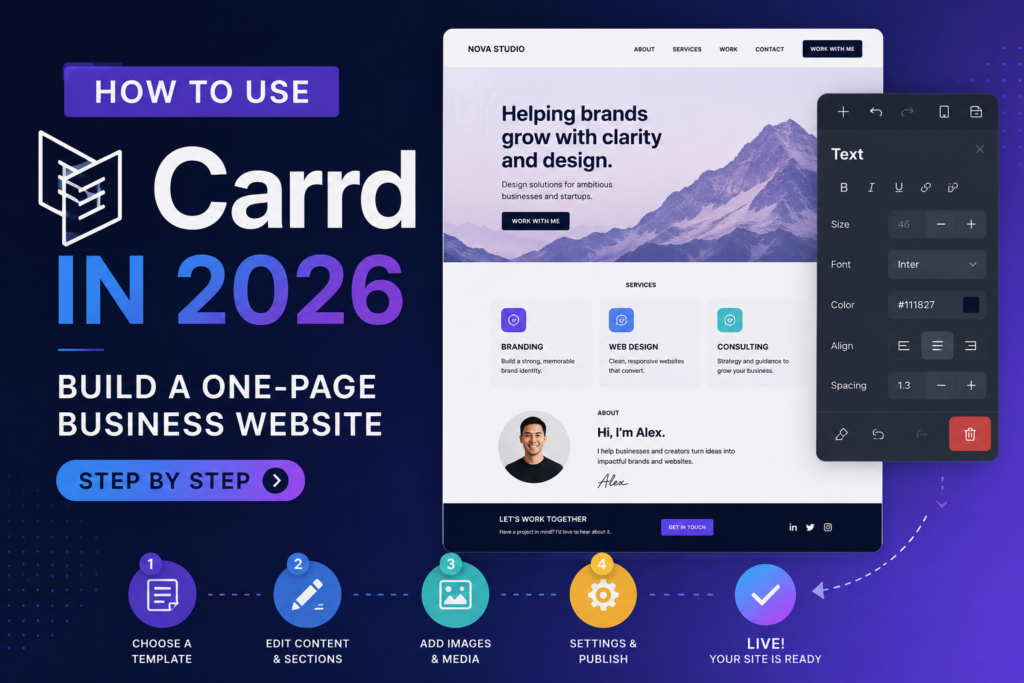
This step-by-step guide shows how to use Carrd to build a practical one-page business website, creator landing page, affiliate bridge page, portfolio, waitlist page, or link-in-bio hub. It is written for beginners, but it also includes business, SEO, analytics, and conversion details that many basic tutorials skip.
Before You Start: What Carrd Is Best For
Carrd works best when your website can be explained on one focused page. It is excellent for simple pages that need to load fast, look clean, and push visitors toward one action.
Good Carrd use cases
- Personal portfolio or resume page.
- Freelancer service page.
- Creator link-in-bio landing page.
- Startup MVP waitlist page.
- Newsletter signup page.
- Affiliate bridge page with a disclosure and CTA.
- Simple local business page.
- Lead magnet download page.
- Product teaser or pre-launch page.
- Resource page that sends visitors to tools, offers, or content.
Weak Carrd use cases
- Large blogs or content hubs.
- Complex ecommerce stores with inventory and product categories.
- Membership sites with user accounts.
- Programmatic SEO websites.
- Large multi-page business websites.
- Projects that need a full CMS, advanced database, or native app-like workflows.
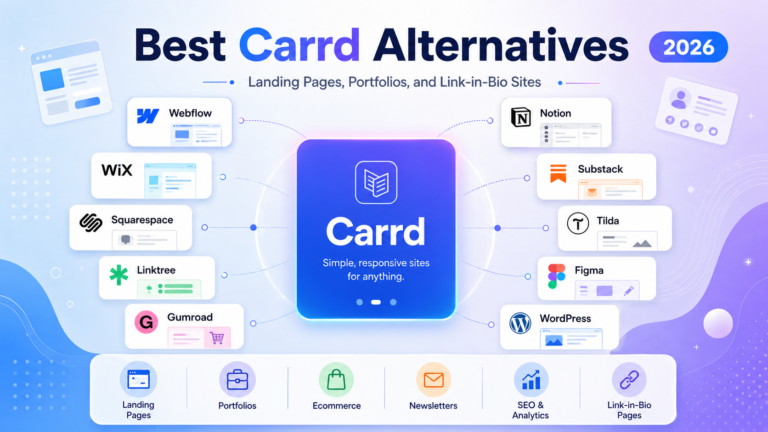
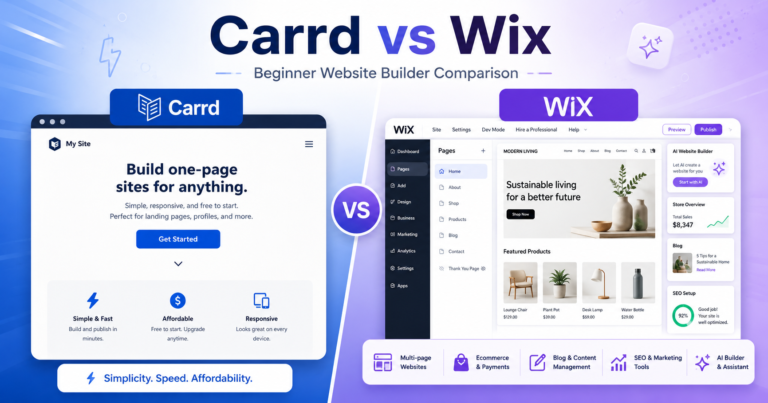
If you already know Carrd is too small for your project, compare options in the Carrd alternatives guide. If you are still deciding whether Carrd is worth using, start with the Carrd review and Carrd pricing guide.
Step 1: Choose One Clear Goal for the Page
The biggest mistake beginners make with Carrd is trying to build a full website inside a one-page tool. Carrd works best when the page has one primary job.
Before opening the builder, write one sentence that defines what the page should accomplish:
- “Get visitors to book a consultation.”
- “Collect email signups for a newsletter.”
- “Send Instagram visitors to my most important links.”
- “Explain my freelance service and collect leads.”
- “Pre-sell my digital product.”
- “Send readers to an affiliate offer after explaining who it is for.”
This goal controls the headline, sections, call to action, form fields, analytics events, and even which Carrd plan you need. A page that only routes social traffic may not need the same setup as a page collecting leads or running paid ads.
Step 2: Decide Which Carrd Plan You Need
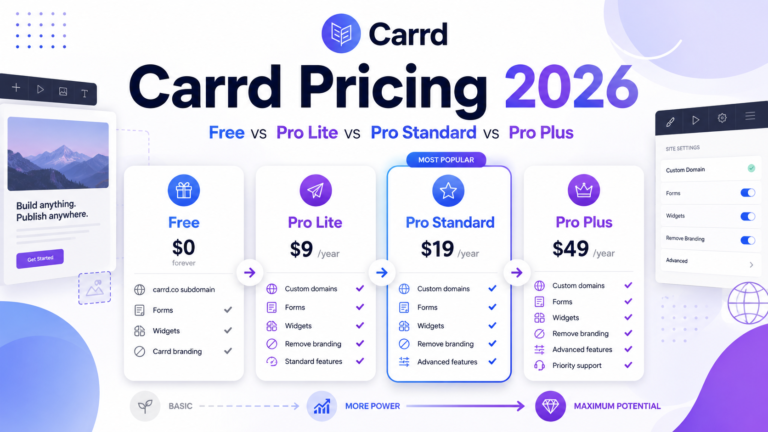
You can start with Carrd’s free experience, but many business workflows require Pro features. The current Carrd documentation lists Pro Lite, Pro Standard, and Pro Plus. The most important practical difference is that Pro Standard unlocks custom domains, forms, widgets, embeds, analytics, and meta tags, while Pro Plus adds advanced forms, redirects, password protection, site files, canonical URLs, and downloads.
| Need | Minimum practical plan | Why |
|---|---|---|
| Test the editor | Free | Good enough for learning and drafting. |
| Simple personal page without custom domain | Pro Lite | Useful for removing branding and using premium templates/media. |
| Business page on a custom domain | Pro Standard | Custom domain and SSL are business basics. |
| Contact form, signup form, or lead capture | Pro Standard | Forms are a key Pro Standard feature. |
| Analytics, tracking, embeds, or widgets | Pro Standard | Needed for measuring traffic and connecting third-party tools. |
| Advanced forms, redirects, password protection, canonical URL, custom site files | Pro Plus | These are power-user and technical control features. |
For most SmartBizTools readers building a serious page, Pro Standard is the best starting point. Use Pro Plus only when you have a specific advanced need.
Step 3: Pick a Template or Start From Blank
Carrd lets you start with a template or a blank canvas. Beginners should usually start with a template because it gives you a working layout, spacing system, and mobile-friendly structure. Experienced users may prefer blank pages for full control.
Use a template if:
- You want to launch quickly.
- You are not confident with layout and spacing.
- You need a portfolio, profile, waitlist, link page, or simple service page.
- You want to learn by editing an existing structure.
Start blank if:
- You already know the exact structure you want.
- You want a minimal page with only a hero, proof, CTA, and form.
- You are building a custom affiliate bridge page or campaign landing page.
- You do not want to spend time removing template sections.
Do not choose a template only because it looks impressive. Choose one that matches your conversion goal. A portfolio template may look beautiful but fail as a lead capture page if the CTA is weak or the form is buried.
Step 4: Plan the Page Structure Before Editing
A Carrd page should be simple, but simple does not mean random. Use a section order that moves visitors from understanding to action.
Recommended structure for a business Carrd site
- Hero section: Explain what you offer, who it helps, and what to do next.
- Problem or promise: Show why the visitor should care.
- Offer or service section: Explain what they get.
- Benefits: Translate features into outcomes.
- Proof: Add testimonials, work samples, client logos, numbers, or credibility signals if real.
- Process: Explain how working with you or using the offer works.
- FAQ: Answer common objections.
- Final CTA: Repeat the primary action.
- Footer: Add contact, disclosure, privacy, and relevant links.
Recommended structure for an affiliate Carrd bridge page
- Affiliate disclosure near the top.
- Clear headline that names the audience and outcome.
- Short explanation of the problem.
- Why the recommended tool or product is relevant.
- Pros, limitations, and who it is not for.
- Comparison or checklist.
- CTA button to the offer.
- Email opt-in if you want to build an owned audience.
- FAQ and final disclosure.
For deeper affiliate workflows, read How to Use Carrd for Affiliate Marketing.
Step 5: Add and Edit Elements in the Builder
Carrd’s official builder docs describe a straightforward interface for adding and editing page elements. In practice, most beginner pages use a small set of elements: text, images, buttons, icons, containers, lists, forms, embeds, and dividers.
Core elements to add first
- Text: Use it for headline, subheadline, body copy, FAQs, and footer notes.
- Buttons: Use one primary CTA style consistently.
- Images: Add a profile photo, product image, service visual, logo, or proof image only if it helps the page.
- Containers: Group related content so your layout stays organized.
- Forms: Add lead capture or contact forms if you are on the right Pro plan.
- Embeds/widgets: Add newsletter forms, payment widgets, calendars, videos, analytics, or external tools when needed.
Editing advice
- Write the copy before over-designing the page.
- Use one headline style, one body style, and one button style.
- Keep line lengths readable, especially on desktop.
- Use enough spacing between sections so the page does not feel cramped.
- Do not overload the page with animations, icons, or decorative blocks.
- Preview mobile frequently because many visitors will arrive from social or mobile search.
Step 6: Write a High-Converting Hero Section
The hero section is the first screen visitors see. It should answer three questions quickly:
- What is this?
- Who is it for?
- What should I do next?
A practical Carrd hero formula is:
Headline: Clear outcome for a specific audience.
Subheadline: One or two sentences explaining the offer.
CTA: A button that tells the visitor exactly what happens next.
Examples
- Freelancer: “Conversion-focused landing pages for SaaS founders who need more demo calls.”
- Creator: “All my best templates, guides, and tools in one place.”
- Affiliate page: “The simplest AI writing tool stack for solo creators publishing weekly content.”
- Newsletter: “A weekly email for small business owners using AI to save time and grow smarter.”
Use AI writing tools from the SmartBizTools AI Tools Directory to draft headline variations, but edit them manually so the page sounds specific and credible.
Step 7: Build Sections That Support One Action
Every section should support the page goal. If a section does not help the visitor decide, trust, understand, or act, remove it.
Use these section types
- Benefits section: Explain the real outcome, not only features.
- Proof section: Add real testimonials, client examples, portfolio links, or honest experience notes.
- Comparison section: Show why your offer or recommended tool is better for the target use case.
- Process section: Explain the steps after a visitor clicks or submits a form.
- FAQ section: Answer pricing, timeline, trust, refund, compatibility, or setup questions.
- Final CTA section: Repeat the main action at the bottom.
Carrd supports sections that can simulate page-like regions on one site. This is useful for landing pages with navigation links such as “Services,” “Examples,” “FAQ,” and “Contact,” but keep the structure simple. Too many pseudo-pages can make a Carrd site feel like a full website squeezed into a one-page builder.
Step 8: Add a Form or CTA Button
Most Carrd pages need either a form or a button. Use a form when you want to collect information. Use a button when you want visitors to book, buy, join, download, message, or visit another page.
Form examples
- Contact form for service inquiries.
- Email signup form for newsletters.
- Waitlist form for startups.
- Lead magnet request form.
- Custom form for onboarding questions.
- Payment-enabled form for simple checkout workflows.
Carrd’s Forms documentation includes contact forms, signup forms, custom forms, payment-enabled forms, spam/bot protection, and troubleshooting. If you use a form for business, test it before launch. Submit a test entry, confirm the email arrives, and confirm integrations receive the data.
CTA button examples
- “Book a free call”
- “Join the waitlist”
- “Download the checklist”
- “View pricing”
- “Compare the tools”
- “Start the challenge”
- “Visit the recommended tool”
If the page is an affiliate bridge page, include a clear affiliate disclosure before or near affiliate links. Do not hide disclosures in tiny footer text.
Step 9: Make the Page Mobile-Friendly
Carrd sites are responsive, but you still need to check the page manually. Mobile issues usually come from long headlines, crowded columns, oversized images, too many buttons, or text that looks good on desktop but feels dense on a phone.
Mobile checklist
- Headline fits without awkward line breaks.
- CTA button is visible near the top.
- Images do not push important copy too far down.
- Columns stack in a logical order.
- Buttons are easy to tap.
- Forms are short and readable.
- Section spacing feels comfortable, not huge or cramped.
- Footer links are readable.
Test the page on your own phone before sharing it. If you are using the page for ads or affiliate offers, test on both iPhone and Android if possible.
Step 10: Set the Page Title, Description, Icon, and Share Image
Before publishing, configure the basic site settings. Carrd’s official Sites documentation covers changing a title or description, adding a site icon, and adding a share image.
Title and description
Your title and description help search engines and social previews understand the page. Keep them clear, specific, and aligned with the page goal.
- Bad title: “Home”
- Better title: “AI Marketing Consultant for Local Service Businesses”
- Bad description: “Welcome to my website.”
- Better description: “Book AI marketing setup help for local service businesses that want better landing pages, email capture, and automation.”
Site icon and share image
Add a simple site icon if the page represents a business or personal brand. Add a share image so the page looks credible when shared on social platforms, messaging apps, or Slack-style tools.
Step 11: Add Basic SEO Settings
Carrd can support simple SEO, especially for one focused page. It is not a full SEO content platform, but it can rank for branded, local, portfolio, niche landing page, and narrow one-page search intent.
Basic Carrd SEO checklist
- Use one primary keyword or topic for the page.
- Write a clear page title.
- Write a useful description.
- Use a clear main headline.
- Add enough helpful body copy so the page is not only buttons.
- Use descriptive link and button text.
- Compress images before upload.
- Add a custom domain for serious business use.
- Submit the sitemap.xml URL to Google Search Console.
- Use analytics to measure traffic and conversions.
Pro Standard or higher supports custom meta tags. Carrd sites also include a sitemap.xml file that can be submitted to search engines. For a full SEO workflow, read the Carrd SEO guide.
Step 12: Connect Analytics and Tracking
Analytics turns a Carrd page from a static brochure into a measurable business asset. Carrd supports analytics integrations on eligible Pro plans. You can use tools such as Google Analytics, Plausible, Matomo, Meta Pixel, and other tracking tools depending on your setup.
Track these numbers
- Page visitors.
- Traffic sources.
- Button clicks.
- Form submissions.
- Email signups.
- Affiliate link clicks.
- Booking clicks.
- Conversion rate.
If you cannot measure the page, you cannot improve it. For a business or affiliate page, analytics is not optional. It tells you whether the page is doing real work.
Step 13: Publish to a Carrd URL or Custom Domain
You can publish a Carrd site to a Carrd URL, custom domain, or custom subdomain depending on your plan and setup. Carrd’s custom domain documentation notes that the domain must already be registered before you can use it with Carrd, and custom domains require Pro Standard or higher.
Publishing checklist
- Choose the final URL.
- Confirm the page title and description.
- Check mobile layout.
- Test all buttons.
- Submit any forms.
- Confirm analytics is firing.
- Check spelling and grammar.
- Publish the site.
- If using a custom domain, update DNS as instructed by Carrd.
- Confirm SSL is active after DNS resolves.
DNS changes can take time. If the domain does not work immediately, do not keep changing settings randomly. Wait, then confirm the records match Carrd’s instructions.
Step 14: Test the Live Page Like a Visitor
After publishing, open the live page in a private browser window and on your phone. Do not only test inside the Carrd editor.
Live testing checklist
- Does the page load quickly?
- Does the first screen explain the offer?
- Is the CTA obvious?
- Do all buttons open the right destination?
- Do forms submit correctly?
- Do confirmation messages make sense?
- Does the page look good on mobile?
- Do social previews look correct?
- Does analytics record the visit?
- Does the page have a privacy/disclosure link if needed?
If the page is used for affiliate marketing, verify every affiliate link, disclosure, and destination. Do not send paid or social traffic until the page is tested.
Step 15: Improve the Page After Launch
A Carrd page is easy to edit, so use that speed. Launch a solid version, measure results, and improve one thing at a time.
What to improve first
- Headline: Make the promise clearer.
- CTA: Make the action more specific.
- Proof: Add real examples, testimonials, or outcomes.
- Form: Remove unnecessary fields.
- Section order: Move the most persuasive content higher.
- Mobile layout: Shorten copy and improve spacing.
- Traffic source match: Make sure the page matches the ad, social bio, email, or search query that brought people there.
Do not change ten things at once if you are trying to learn what works. Make a change, watch the data, then adjust again.
Example Carrd Build: Freelancer Service Page
Here is a practical build plan for a freelancer using Carrd to get more inquiries:
- Goal: Get qualified visitors to submit an inquiry form.
- Plan: Pro Standard for custom domain, forms, analytics, and meta tags.
- Hero: “Landing page design for B2B SaaS teams that need more demo bookings.”
- CTA: “Request a project quote.”
- Sections: Services, examples, process, testimonials, pricing range, FAQ, contact form.
- Form fields: Name, email, website, project goal, budget range, timeline.
- Analytics: Track visits, CTA clicks, and form submissions.
- SEO: Use a focused title and description around the freelancer’s service niche.
- Post-launch: Improve headline and proof if visitors arrive but do not submit the form.
Example Carrd Build: Affiliate Bridge Page
Here is a practical build plan for an affiliate marketer promoting a software tool:
- Goal: Help visitors decide whether the tool fits them and click through to the offer.
- Plan: Pro Standard for custom domain, analytics, embeds, and meta tags; Pro Plus if redirects or advanced control are needed.
- Disclosure: Add a clear affiliate disclosure near the top.
- Hero: “Is this AI writing tool right for weekly blog content?”
- Sections: Problem, who it is for, benefits, limitations, comparison, FAQ, CTA.
- CTA: “Visit the official tool page.”
- Tracking: Use UTM parameters and analytics.
- Email capture: Offer a free checklist before the affiliate click if appropriate.
- Compliance: Avoid fake income claims, fake screenshots, or exaggerated guarantees.
Common Carrd Mistakes to Avoid
- Starting with design before deciding the page goal.
- Using a vague headline that does not explain the offer.
- Adding too many CTAs that compete with each other.
- Publishing without testing mobile.
- Using Pro Lite when the page really needs custom domains, forms, analytics, or meta tags.
- Forgetting analytics and then not knowing whether the page works.
- Writing too little copy for SEO or visitor trust.
- Using fake screenshots, fake testimonials, or unsupported claims.
- Trying to make Carrd behave like a full CMS or ecommerce platform.
- Skipping affiliate disclosures on affiliate pages.
Best Tools to Pair With Carrd
Carrd is the page builder, but a business page often needs a surrounding tool stack. Use SmartBizTools.io to compare options before choosing.
| Need | Tool category to compare | Why it matters |
|---|---|---|
| Write better page copy | AI writing tools | Generate headline ideas, FAQs, benefit copy, and CTA variations. |
| Design graphics | AI design tools | Create simple visuals, profile images, banners, and social share graphics. |
| Improve marketing | AI marketing tools | Plan campaigns, write emails, and improve conversion workflows. |
| Compare alternatives | Tool comparisons | Decide whether Carrd is enough or another platform fits better. |
| Build a bigger site | Carrd alternatives | Move to Wix, Squarespace, Webflow, WordPress.com, Framer, or landing-page platforms when Carrd is too limited. |
No Screenshots Used in This Tutorial
No product screenshots are used in this updated tutorial. Carrd’s interface can change, and screenshots often become outdated faster than the underlying workflow. If screenshots are added later, they should be current, dated, compressed, and captioned with the source and capture date. Do not use fake UI screenshots, fake dashboards, fake pricing tables, or generated images that look like official Carrd screens.
Plan Names Changed Since Writing?
As of this update, Carrd’s official documentation still uses the Pro Lite, Pro Standard, and Pro Plus plan names. Because pricing pages and feature lists can change, verify the official Carrd docs before making a purchase decision. The Carrd pricing guide tracks the plan differences in more detail.
Final Workflow: Carrd Step-by-Step Checklist
- Define one clear page goal.
- Choose the right plan based on domain, form, analytics, SEO, and embed needs.
- Pick a template or blank canvas.
- Plan the section order before designing.
- Add core elements: headline, copy, images, buttons, forms, and proof.
- Write a clear hero section.
- Build sections that support one primary CTA.
- Add form or button workflows.
- Test the mobile version.
- Set title, description, icon, and share image.
- Add SEO settings and meta tags where needed.
- Connect analytics and tracking.
- Publish to a Carrd URL or custom domain.
- Test the live page on desktop and mobile.
- Improve the page using visitor and conversion data.
Official Sources Checked
- Carrd builder overview
- Carrd building basics
- Carrd sections documentation
- Carrd forms documentation
- Carrd custom domain documentation
- Carrd site settings documentation
- Carrd Pro plans documentation
FAQ
Is Carrd easy for beginners?
Yes. Carrd is beginner-friendly because it focuses on one-page sites and has a straightforward builder. The main challenge is not the editor; it is planning a page with a clear goal, good copy, mobile layout, and a strong CTA.
Can I build a business website with Carrd?
Yes, if the business only needs a simple one-page website. Carrd works well for freelancers, creators, consultants, local service pages, landing pages, and lead capture pages. It is not ideal for larger multi-page websites or content-heavy SEO sites.
Can I use a custom domain with Carrd?
Yes. Carrd supports custom domains on Pro Standard or higher. You need to register the domain first, configure it in Carrd, update DNS, and wait for DNS/SSL to resolve.
Can Carrd collect emails?
Yes, eligible Carrd Pro plans support forms, including signup forms and integrations with email tools. Always test the form before launch.
Is Carrd good for SEO?
Carrd can work for focused one-page SEO, branded searches, portfolios, and simple local pages. It is not the best platform for large SEO blogs or content hubs.
Can I sell products on Carrd?
Carrd can use payment widgets, embeds, and payment-enabled forms, but it is not a full ecommerce platform. Use Carrd for simple payment workflows, or choose an ecommerce-focused platform for product catalogs and stores.