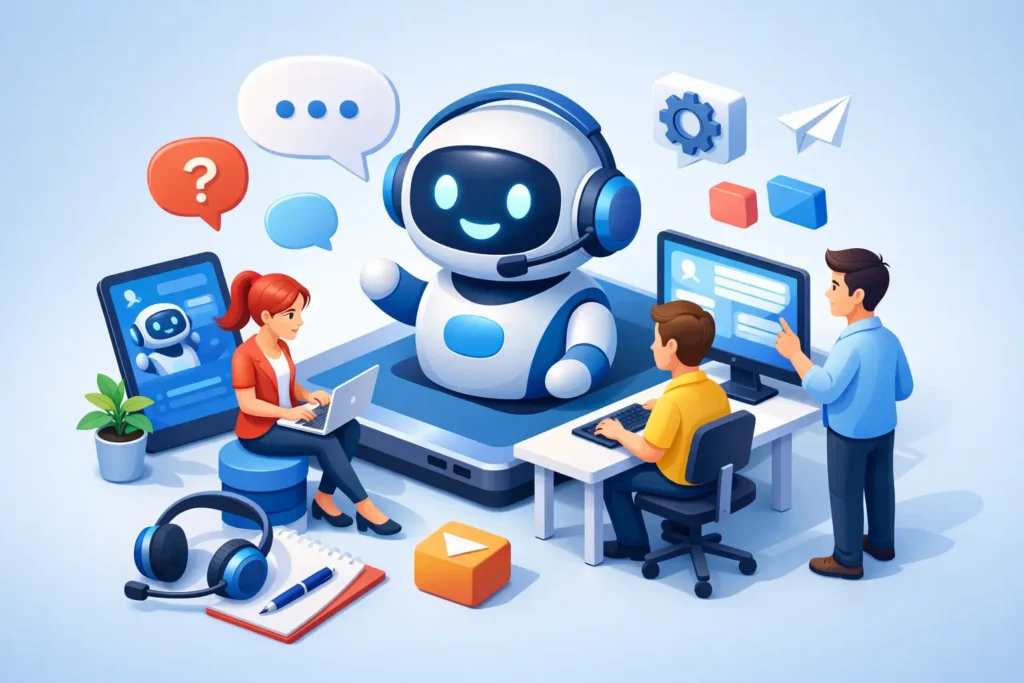
A customer inquiry that arrives at 10:47 p.m. does not need a polished AI strategy. It needs a useful answer, a clear next step, or a handoff that prevents a lost sale. That is the real job of a support chatbot for a small business.
This customer service chatbot guide is built for teams that need to reduce repetitive support work without replacing the judgment, empathy, and product knowledge that customers still expect from people. The best chatbot is not the one with the longest feature list. It is the one that resolves the right questions, fits your existing workflow, and does not create a new queue of bot-caused problems.
Start With the Support Work You Actually Have
Many businesses buy a chatbot because competitors have one or because a vendor promises 24/7 support. Both are weak reasons to commit budget. Start by reviewing the last 30 to 60 days of customer messages. Look for patterns in email, live chat, social DMs, contact forms, and help desk tickets.
If customers repeatedly ask about shipping status, return windows, password resets, pricing, appointment availability, onboarding steps, or basic product compatibility, automation may have a clear payoff. If most inquiries involve custom quotes, complex troubleshooting, account exceptions, or sensitive complaints, a chatbot may still help with intake and routing, but it should not be expected to solve everything.
A useful starting metric is the share of conversations that are repetitive and low risk. A lean ecommerce team with 300 monthly tickets, 40% of which concern order tracking and returns, has a stronger chatbot case than a 20-ticket consulting firm where every request is unique. Volume matters, but repeatability matters more.
Set one primary business goal before you compare software. It might be reducing first-response time, deflecting basic tickets, qualifying inbound leads, increasing after-hours coverage, or helping customers find the right documentation. One goal makes evaluation clearer. Five goals usually produce a bloated setup that delivers none of them well.
Customer Service Chatbot Guide: Choose the Right Model
The word chatbot covers several very different products. Treating them as interchangeable is how small teams end up paying for capabilities they cannot use.
A rules-based chatbot follows predefined buttons, decision trees, and keyword triggers. It is often the safest option for narrow workflows because you control the paths and the wording. It works well for routing, store policies, simple FAQs, and lead capture. The tradeoff is that building and maintaining many branches can become tedious.
An AI knowledge-base chatbot uses a language model to answer questions from approved sources such as help articles, policy pages, product documentation, and uploaded files. It can handle more natural phrasing and reduce the need for rigid menus. Its risk is accuracy. If your documentation is incomplete, old, or contradictory, the bot can return confident but unhelpful answers.
A help desk chatbot is part of a broader support platform. It can identify customers, check ticket history, create cases, route conversations, and trigger workflows. This model makes sense when support already runs through a help desk and you need operational context. For a very small team, however, the platform cost and implementation effort may outweigh the benefit.
Some tools combine all three approaches. That can be useful, but it is not automatically better. Ask whether you need a flexible AI answer engine, a controlled workflow builder, or a system that acts on customer data. Buy for the job, not the demo.
Evaluate Tools on Six Practical Criteria
At SmartBizTools, we favor a transparent evaluation process over vendor scorecards built around vague claims. For a customer service chatbot, assess each contender against the same six criteria:
- Workflow fit: Can it handle your top three customer questions and route the rest correctly?
- Answer quality: Does it use approved information, cite the right source internally, and admit uncertainty when it lacks an answer?
- Human handoff: Can a customer reach a person quickly, with the conversation history attached?
- Setup and maintenance: Can your team launch and update it without hiring a specialist or spending weeks in configuration?
- Integrations and data access: Does it work with your help desk, ecommerce platform, calendar, CRM, or order system where needed?
- Total cost: Include the base plan, usage limits, AI resolution fees, seat costs, and the time required to maintain content.
The last criterion is where many comparisons fail. A low entry price can look attractive until conversation caps, premium integrations, or AI credits appear. Conversely, a higher-priced help desk chatbot can be cheaper overall if it eliminates manual copy-paste work and reduces ticket handling time.
Score each criterion based on a real test, not a sales call. A simple 1-to-5 score is enough, provided you record why the score was earned. No opinions without evidence means saving sample conversations, noting setup time, and tracking every limitation you uncover.
Test Before You Put the Bot in Front of Customers
A chatbot should earn its place through a controlled pilot. Build it around a limited set of support topics first, rather than uploading every document and switching it on across your site.
Choose 15 to 25 questions from real customer conversations. Include common requests, vaguely worded questions, typo-heavy messages, edge cases, and a few questions the bot should refuse or escalate. For example, test what happens when a shopper asks for a return outside the stated policy, or when a customer wants a delivery estimate the system cannot verify.
Then test the handoff. This is the moment that most directly affects customer trust. The chatbot should say clearly when it is transferring the conversation, capture the reason for escalation, and pass the relevant details to the human agent. A bot that loops through answers or hides the contact option can turn a manageable issue into a public complaint.
Run the pilot internally before exposing it broadly. Ask team members who did not build the bot to try to break it. They will use unexpected wording and find gaps faster than a scripted test. After launch, review conversation transcripts weekly for the first month. Focus on failed answers, abandoned chats, repeat contacts, and handoffs that lacked context.
Build the Knowledge Base Before You Blame the AI
Most chatbot quality problems start with the source material. A bot cannot reliably explain a return policy that is split across three outdated pages, a PDF, and an internal note. Nor should it make policy decisions from hints buried in marketing copy.
Create a small, authoritative support library. Use plain language. Keep policies current. Separate customer-facing answers from internal procedures. For each high-volume topic, write the answer a capable support rep would give, including what the customer needs to do next.
It also helps to define boundaries. State which questions the chatbot can answer, which actions require verification, and which situations always go to a human. Billing disputes, legal claims, account security, health or safety concerns, and emotionally charged complaints usually need a person. Automation should accelerate the safe work, not impersonate authority where judgment is required.
If the tool lets you restrict answers to selected knowledge sources, use that control. If it provides confidence thresholds, test them carefully. A chatbot that escalates slightly more often is usually preferable to one that invents an answer just to avoid a handoff.
Measure Resolution, Not Just Deflection
Vendor dashboards often spotlight deflection: the number of conversations that did not create a ticket. That metric is useful, but it can be misleading. A customer who gives up after a bad bot response may count as deflected while still leaving frustrated or taking their purchase elsewhere.
Track resolution quality alongside efficiency. Look at containment rate, escalation rate, first-response time, time to resolution, customer satisfaction, repeat-contact rate, and conversion rate for chats that involve buying questions. For service teams with limited volume, read transcripts as well as metrics. Ten poorly handled conversations can reveal more than a polished monthly chart.
Set a review point after 30 days. If the bot handles recurring questions accurately, customers can reach a person when necessary, and workload has dropped without hurting satisfaction, expand it to another workflow. If it mostly creates rework, pause the rollout and fix the knowledge base or routing rules. More automation is not the answer to a weak setup.
Common Buying Mistakes to Avoid
The biggest mistake is choosing a chatbot that is more advanced than the business process behind it. AI cannot repair unclear policies, disconnected customer data, or a team that has not decided who owns escalations.
Another common error is making the chatbot the only support door. Customers should have an obvious path to email, phone, or human chat when the issue warrants it. This is especially true for high-consideration purchases, subscription cancellations, and urgent account problems.
Finally, do not treat implementation as a one-time project. Products change, policies change, promotions expire, and customer language evolves. Assign an owner, even if that owner spends only 30 minutes a week reviewing chatbot performance and updating the source material.
The right chatbot should make your customers feel less stuck, not more managed. Start with the questions your team answers every day, prove value in a narrow pilot, and expand only when the evidence shows that the experience is improving.