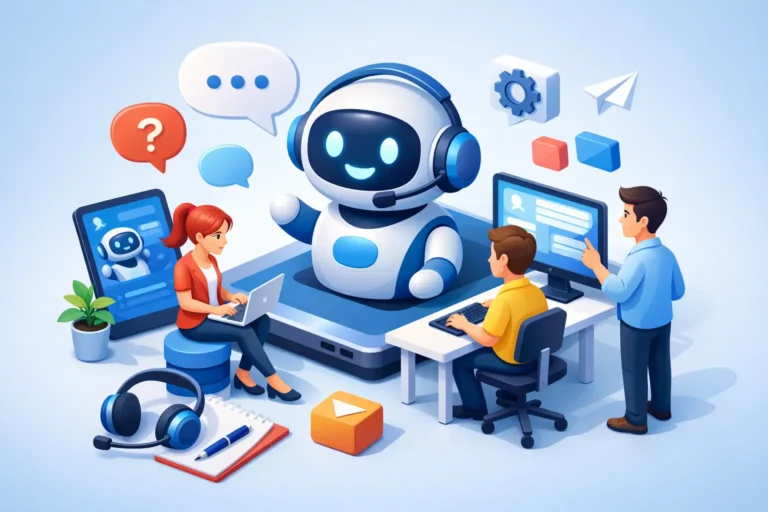
A customer support AI example is only useful if it shows the full operating reality: what the AI handles, when it hands off, what data it can access, and whether customers actually get a faster answer. A chatbot that produces polished replies but cannot check an order, update an account, or recognize urgency is not support automation. It is a prettier contact form.
For a small team, the goal is not to replace every support interaction. The goal is to remove repeat work without creating new frustration, refunds, or reputational damage. That makes customer support AI a workflow decision, not a feature checklist.
A customer support AI example in a real workflow
Imagine a five-person ecommerce brand selling specialty home goods. It receives 450 support requests a month through email, chat, and social messages. Most questions fall into familiar categories: order status, shipping timelines, return eligibility, product care, discount code issues, and damaged-item claims.
The team adds an AI support agent connected to its help desk, shipping system, order database, return policy, and product documentation. It does not get permission to issue refunds or change orders on day one. Instead, it is configured to answer questions and complete only low-risk actions.
A customer writes: “My order says delivered, but it is not at my door. What do I do?”
The AI identifies the order using the customer’s email, checks the carrier status, and sees that delivery was marked complete 45 minutes ago. Rather than declaring the package lost, it sends the brand-approved response: ask the customer to check the delivery area and wait until the end of the day, then offer a direct path to a human agent if the package is still missing. It tags the ticket as “possible delivery issue” and sets a follow-up reminder.
That is a useful automation because it combines language understanding, live business data, policy-based judgment, and an escalation rule. A generic bot that says “Please contact the carrier” may reduce ticket volume on paper, but it pushes work back onto the customer and weakens the experience.
Now consider a different message: “The ceramic bowl arrived in pieces. This was a birthday gift and I need a replacement by Friday.” The AI can recognize damage, urgency, and emotional context. It can collect a photo and order number, explain the replacement policy, and immediately route the case to a priority queue. If the tool has reliable rules and inventory access, it may also offer a replacement option. If not, it should stop after gathering the needed details.
The difference matters. Good customer support AI does not try to sound capable in every situation. It knows the limits of its authority.
What this example proves, and what it does not
This workflow can reduce first-response time from hours to seconds and take routine requests out of a shared inbox. It may also produce cleaner ticket tagging, which helps a founder see why customers are contacting support in the first place. If 18% of tickets concern a confusing return policy, that is a business problem worth fixing upstream.
But the results depend on the underlying operation. AI cannot compensate for inaccurate shipping feeds, outdated help center articles, unclear policies, or a disconnected help desk. It will repeat whatever source material and permissions it receives, including mistakes.
This is where vendor demos can mislead buyers. A demo often shows a bot answering a simple policy question from a clean knowledge base. Your business may need the agent to distinguish between subscriptions, wholesale orders, expired warranties, promotional bundles, or customers with multiple accounts. That complexity determines whether the tool saves time or creates an agent-review queue full of bad answers.
The support tasks AI should handle first
For most lean teams, the first use case should be high-volume, low-risk, and easy to verify. Order tracking, account access guidance, business hours, basic product questions, and policy explanations are common starting points. These requests have a clear source of truth and do not require much judgment.
The next tier includes structured intake. AI can collect information for returns, warranty claims, technical issues, appointment changes, or billing questions before a human steps in. This is often more valuable than fully automated resolution because it prevents the back-and-forth that slows agents and customers down.
Use more caution with cancellations, refunds, disputes, medical or legal questions, security issues, angry customers, and exceptions to policy. These are not impossible to automate, but they require tighter controls, approval workflows, and careful monitoring. A small business should not grant an AI broad financial authority just because the platform advertises “autonomous resolution.”
What to test before you buy
A support AI platform should be evaluated against your actual tickets, not a vendor’s sample prompts. Pull a representative set of recent conversations after removing sensitive details. Include routine questions, vague messages, misspellings, repeat customers, edge cases, and emotionally charged complaints.
During a trial, test four areas:
- Answer accuracy: Does it use the right policy, product detail, and customer context? Ask questions with intentionally tricky wording.
- Data access: Can it pull live order, subscription, account, or inventory information when needed? A knowledge-base-only tool has a narrower job.
- Escalation quality: Does it recognize uncertainty and send the ticket to the right person with useful context, rather than forcing the customer to start over?
- Control and reporting: Can you set approval rules, review conversations, correct bad answers, and measure containment, resolution quality, and customer satisfaction?
Do not judge success by containment rate alone. A tool that closes 70% of conversations but causes repeat contacts, chargebacks, or negative reviews is not delivering ROI. Review the percentage of customers who reopen a case, request a human, or contact you through another channel after interacting with the AI.
The economics small teams should use
The basic math is straightforward: estimate how many agent minutes the AI removes, multiply by your fully loaded support cost, then subtract software cost, setup time, and ongoing quality control. The harder part is assigning a cost to poor resolution.
Suppose your team receives 300 repetitive tickets per month, and each takes six minutes to resolve. If AI reliably handles half of them, it saves 15 hours a month. That may justify a modest platform subscription if those hours are redirected toward retention, fulfillment, or sales. It may not justify an expensive enterprise plan with a long implementation cycle.
For a solo founder, the win can be larger than payroll savings. Fast, accurate answers protect evenings and reduce the operational drag that keeps the owner out of higher-value work. Still, a lower-cost help desk with strong templates and a well-organized FAQ can beat AI if ticket volume is too low or requests are highly bespoke.
That is why SmartBizTools evaluates workflow fit alongside features. The best tool is not automatically the one with the most integrations or the flashiest agent demo. It is the one that fits the systems you already use and solves enough of your real support load to earn its monthly cost.
Set guardrails before the AI goes live
Treat launch as a controlled rollout, not a switch you flip across every channel. Start with one channel, a limited group of intents, and a review period where humans audit completed conversations. Build a short internal policy for what the AI can answer, what it can do, what it must escalate, and who owns corrections.
Your escalation rules should be specific. A message mentioning a chargeback, injury, fraud, privacy request, legal threat, missing package after a defined window, or repeated failed resolution should go to a human. So should any interaction where the AI cannot identify a trusted source of truth.
Also give customers an obvious way to reach a person. Hiding the handoff option may improve a dashboard metric, but it creates resentment when the situation is unusual. The strongest support experiences use AI for speed and humans for judgment, empathy, and exceptions.
The practical standard for a good AI support agent
A good agent resolves simple requests accurately, gathers the right details for harder ones, and exits gracefully when the case needs a person. It should make your team faster without making customers work harder.
Before expanding automation, review the conversations your AI could not resolve. Those failures often reveal the next opportunity: a missing help article, an unclear policy, a broken process, or a customer question your product team needs to hear. That is where support AI becomes more than a ticket deflection tool and starts improving the business behind the inbox.