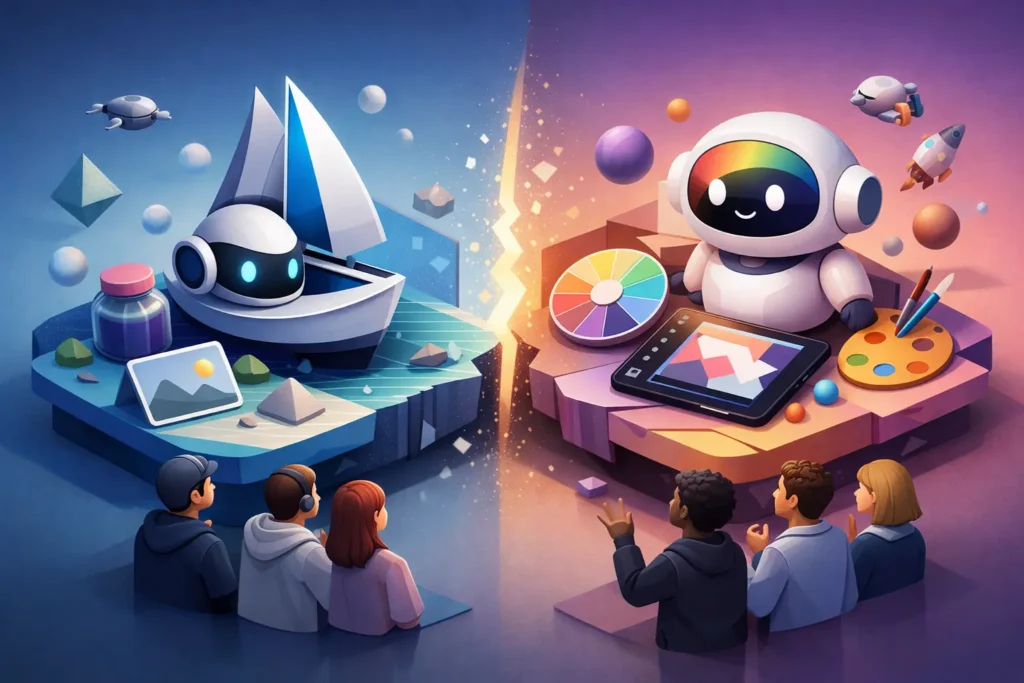
A product launch graphic is rarely just an image. It needs the right dimensions, approved colors, readable copy, a consistent logo treatment, and versions for email, social, ads, and sales collateral. That is where the Midjourney vs Canva AI decision becomes more practical than the usual “which makes prettier pictures?” debate.
For most small businesses, these are not direct substitutes in every workflow. Midjourney is primarily an image-generation engine built for distinctive visual output. Canva AI is an AI-assisted design environment built to turn ideas into finished, on-brand business assets. One can produce stronger raw creative direction; the other can reduce the number of steps between concept and publishable marketing material.
Our verdict: choose Canva AI if your team needs speed, brand consistency, and editable assets every week. Choose Midjourney if visual originality is a competitive advantage and someone on your team is willing to direct, select, refine, and move images into a separate production workflow. Many content-heavy businesses will get the best results by using both, but only if the added handoff is worth the cost and complexity.
Midjourney vs Canva AI at a glance
| Evaluation area | Midjourney | Canva AI | | — | — | — | | Image originality | Excellent for stylized, art-directed visuals | Good for common business and marketing visuals | | Finished-design workflow | Limited – exports usually need another tool | Excellent – create, edit, resize, and publish in one workspace | | Brand control | Depends on prompting and post-production | Stronger for templates, brand kits, fonts, and repeatable layouts | | Learning curve | Moderate to high | Low to moderate | | Team collaboration | Better for individual creative exploration | Better for shared marketing production | | Best fit | Campaign concepts, hero images, creative differentiation | Daily content, sales materials, social, and lean-team design |
This comparison uses the criteria that matter in real business workflows: output quality, controllability, production speed, team usability, commercial readiness, and cost efficiency. No opinions without evidence: a tool that creates an impressive one-off image but adds 30 minutes of cleanup to every asset can be the more expensive choice.
Where Midjourney wins: visual direction and distinctiveness
Midjourney’s strongest case is not “AI can make images.” Plenty of tools can do that. Its advantage is the ability to produce images that feel more art-directed, atmospheric, and less dependent on familiar template conventions.
For a founder building a premium brand, that matters. A SaaS company may use it to create an abstract campaign visual that does not look like generic stock art. A wellness business may develop a consistent editorial mood for a landing page. A consultant can explore several visual concepts before briefing a designer. In these use cases, Midjourney can turn a rough creative direction into credible visual territory quickly.
It also rewards prompt skill. Users who can describe composition, lighting, material, camera angle, color palette, and exclusions will generally get better output than users entering a short subject phrase. That makes Midjourney powerful, but not automatic. The quality ceiling is high because the operator has more room to shape the result.
The tradeoff is control after generation. You may get an excellent image, then still need to remove an unwanted detail, crop it for a channel, add reliable typography, position a logo, or create six ad variations. Those tasks are possible with supporting tools, but they are not the core reason to use Midjourney. If your workflow ends with “send this image to Canva,” factor that handoff into your decision.
Midjourney is a stronger choice when
Midjourney earns its place when the image itself carries the campaign. Think website hero art, creative concept boards, editorial illustrations, branded lifestyle imagery, or ad creative where stopping the scroll is worth more than producing 40 variations by lunch.
It is less convincing for teams that mainly need clean LinkedIn graphics, event flyers, lead magnets, proposal covers, or quick product announcements. Those jobs are production problems, not image-generation problems.
Where Canva AI wins: business-ready design at speed
Canva AI makes more sense when the real deliverable is not an image file. The deliverable is a finished social post, presentation, one-page PDF, short video, ad variation, or sales asset that meets brand standards and can be revised by someone other than a designer.
Its value comes from keeping generation, editing, templates, typography, resizing, and collaboration close together. A small team can start with a prompt or existing template, generate supporting imagery, apply brand elements, and create channel-specific versions without bouncing among multiple apps. That reduction in friction is often more valuable than a marginal gain in image quality.
Canva AI also has a more practical governance advantage for growing teams. Brand kits, shared templates, locked elements, and familiar editing controls help prevent well-meaning teammates from publishing off-brand materials. For businesses without a full-time designer, this is not a minor feature. It is how marketing remains recognizable as output volume increases.
The limitation is creative sameness. Canva can produce polished work quickly, but teams that rely entirely on templates and default AI outputs can start to look interchangeable. The answer is not necessarily to abandon Canva. It is to use stronger inputs: original photography, clear brand rules, distinctive reference material, and occasional custom visuals created elsewhere.
Canva AI is a stronger choice when
Canva AI is the better buy for a solopreneur publishing weekly content, a sales team producing decks and leave-behinds, or a marketing manager who needs non-designers to create usable assets without opening a ticket for every edit.
It is especially effective when turnaround time, editability, and distribution matter more than artistic novelty. If a campaign needs ten sizes, three audience variations, and a revised offer by Friday, Canva’s integrated workflow is hard to beat.
The hidden decision: creation tool or production system?
The most common evaluation mistake is treating both platforms as image generators and stopping there. That comparison favors Midjourney on visual flair and misses the operational question: what happens after the first image is generated?
Map the full workflow. A typical Midjourney path may involve concepting, prompt iteration, selection, upscaling or editing, export, layout work, copy placement, resizing, and approval. A Canva AI path can often keep more of those steps in one workspace. Neither path is universally better. The right one depends on whether your bottleneck is creative ideation or asset production.
For example, an agency pitching a new visual direction may accept a slower Midjourney workflow because unique concepts help win the account. A local service business running monthly promotions probably should not. Its higher-return move is a repeatable Canva template that turns one offer into email, Instagram, Facebook, and print-ready materials.
Pricing and commercial-use checks that protect ROI
Do not choose based only on the lowest entry price. Measure cost per usable asset, including the time spent learning prompts, correcting output, coordinating approvals, and recreating files for multiple channels. A lower subscription can become costly if it adds repeated production work.
Before using either platform for client work, paid ads, packaging, or high-visibility campaigns, review the current plan terms and commercial-use rules. AI product terms, access limits, generation credits, privacy settings, and ownership language can change. Your business should also set a review process for brand-sensitive assets, especially where images depict people, products, regulated industries, or claims that require legal approval.
For lean teams, a simple rule works well: do not scale content production around an AI feature until you have tested it against your actual brand requirements. Generate a small batch, have the person responsible for approvals review it, and calculate the time from brief to publishable file.
Should you use both?
Using both is justified when each tool has a defined job. Midjourney can create a campaign’s distinctive visual source material; Canva AI can turn that material into the working system of posts, presentations, ads, and sales assets. This setup gives you originality without forcing every teammate into a specialized creative tool.
It is not justified just because both are popular. If your business publishes straightforward, template-friendly content, Canva AI alone will likely deliver better ROI. If you are a designer or creative operator whose output is primarily original imagery, Midjourney plus your preferred editing software may be the cleaner stack.
At SmartBizTools, we recommend making this a workflow decision, not a feature checklist. Run one real campaign through the tool you are considering. Track revision time, stakeholder feedback, and how many assets actually reach publication. The winning platform is the one your team will use consistently to produce work that looks credible, stays on brand, and moves the business forward.