Quick Answer
For most readers, the best starting point is not the tool with the longest feature list. Start with the workflow you repeat every week, test one tool against a real task, and only upgrade when the result saves time, improves quality, or makes the process easier to manage.
How to Use This Guide
- Use the quick picks or comparison tables to shortlist tools.
- Read the workflow sections before signing up for paid plans.
- Check pricing limits, privacy controls, export options, and team permissions.
- Run a small pilot with real work before replacing an existing tool.
- Keep human review in the workflow when AI creates customer-facing content, advice, code, or analysis.
Overview
Free social media scheduling tools help small businesses publish consistently without logging into every platform each day. The best tools combine a simple calendar, scheduled posts, basic analytics, caption support, and integrations with design or AI writing tools.
Semrush keyword data shows strong demand for "free social media scheduling tools." The exact AI scheduling phrases are much weaker, so this guide focuses on free scheduling tools while showing how to add AI into the workflow for captions, repurposing, and planning.
Quick Comparison
| Tool | Best For | AI-Friendly Workflow | Free Option |
| Buffer | Simple scheduling | Draft captions with AI, schedule weekly posts | Yes |
| Later | Visual planning | Plan Instagram and visual content | Yes |
| Metricool | Scheduling and analytics | Track post performance and reuse winners | Yes |
| Canva Content Planner | Design plus scheduling | Create visuals and schedule from Canva | Limited |
| Publer | Evergreen scheduling | Recycle posts and create variations | Yes |
| Planoly | Instagram planning | Visual feed planning and captions | Yes/limited |
| Hootsuite | Multi-channel management | Manage several accounts in one place | Trial/limited |
| SocialBee | Category queues | Organize evergreen and promotional posts | Trial |
| Zoho Social | Small business social management | Schedule and monitor brand posts | Trial/limited |
| Meta Business Suite | Facebook and Instagram | Native scheduling for Meta platforms | Yes |
How to Choose a Social Scheduling Tool
Choose based on your channels and publishing rhythm. A local service business may only need Facebook, Instagram, and Google Business Profile. A B2B consultant may need LinkedIn. A creator may need Instagram, TikTok, YouTube Shorts, and X.
Use this checklist:
- Does the free plan support your main platforms?
- How many posts can you schedule?
- Can you preview posts before publishing?
- Does it support images, short videos, or carousels?
- Are analytics included?
- Can you reuse evergreen posts?
- Does it connect with Canva, AI writers, or Zapier?
1. Buffer
Buffer is one of the easiest free social media scheduling tools for small businesses. It works well for planning a simple weekly queue and reviewing basic performance.
Best for:
- Beginners
- Small brands
- Solo founders
- Simple weekly scheduling
AI workflow: use ChatGPT or Buffer's AI features to draft caption variations, then schedule the edited versions in Buffer.
2. Later
Later is strong for visual planning, especially for Instagram-focused brands. It helps you see how posts look together and schedule visual content more deliberately.
Best for:
- Instagram planning
- Visual brands
- Creators
- Retail and lifestyle businesses
AI workflow: generate caption hooks with AI, create visuals in Canva, then arrange the posts in Later.
3. Metricool
Metricool combines scheduling with analytics, which makes it useful for small businesses that want to know what works. The free plan can be enough for a simple social presence.
Best for:
- Scheduling plus analytics
- Reporting
- Multi-platform overview
- Small business marketing
AI workflow: export or summarize top-performing posts, then ask AI to create new variations based on winning formats.
4. Canva Content Planner
Canva is useful when design and scheduling happen together. You can create visuals and plan posts without moving between too many tools.
Best for:
- Visual content creation
- Small teams without designers
- Social graphics
- Brand templates
AI workflow: use Canva Magic Write or another AI assistant for caption ideas, then pair captions with branded visuals.
5. Publer
Publer is useful for evergreen scheduling and post recycling. It can help small businesses reuse educational or promotional content without starting from scratch each time.
Best for:
- Evergreen content
- Reposting
- Small business updates
- Multi-channel scheduling
AI workflow: ask AI to rewrite one evergreen tip into five post variations, then schedule them across several weeks.
6. Planoly
Planoly is helpful for Instagram and visual planning. It is a good fit for businesses where the visual feed matters, such as product brands, creators, restaurants, wellness brands, and service providers.
Best for:
- Instagram-first planning
- Visual calendars
- Lifestyle content
- Brand consistency
AI workflow: generate content themes for the month, then create matching visuals and captions.
7. Hootsuite
Hootsuite is a more established social media management platform. It may be more than a beginner needs, but it is useful for teams that manage multiple channels and need stronger collaboration.
Best for:
- Multi-channel teams
- Larger workflows
- Approval processes
- Social monitoring
AI workflow: use AI for caption drafts and content repurposing before scheduling through Hootsuite.
8. SocialBee
SocialBee is useful for category-based posting. You can separate educational, promotional, evergreen, and curated content so your schedule stays balanced.
Best for:
- Evergreen queues
- Content categories
- Coaches and consultants
- B2B content
AI workflow: create category-specific caption prompts so educational posts sound different from promotional posts.
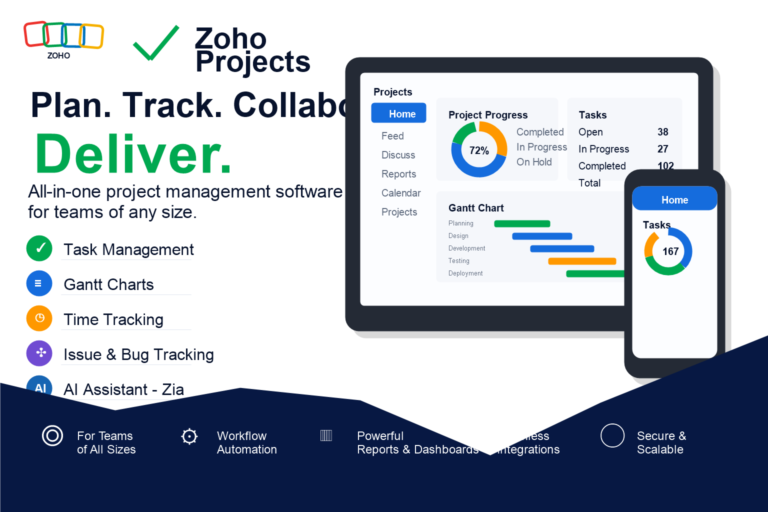
9. Zoho Social
Zoho Social can be useful for small businesses already using Zoho tools. It supports scheduling, monitoring, and reporting.
Best for:
- Zoho users
- Small business teams
- Basic monitoring
- Scheduled campaigns
AI workflow: connect social planning with CRM or campaign notes, then use AI to summarize performance.
10. Meta Business Suite
Meta Business Suite is the best free native option for Facebook and Instagram scheduling. It is not the most flexible tool, but it is free and reliable for Meta platforms.
Best for:
- Facebook pages
- Instagram business accounts
- Local businesses
- Simple native scheduling
AI workflow: generate caption options with AI, create visuals in Canva, then schedule directly in Meta Business Suite.
One-Hour AI Social Scheduling Workflow
Step 1: Pick one source
Choose a blog post, product update, case study, or customer FAQ.
Step 2: Extract five ideas
Ask AI to turn the source into five social post angles:
- Educational tip
- Common mistake
- Short checklist
- Opinion or lesson
- Call to action
Step 3: Create captions
Ask AI for two caption variations per idea. Edit them for voice, accuracy, and specificity.
Step 4: Make visuals
Use Canva to create simple branded graphics, carousel slides, or thumbnail images.
Step 5: Schedule and measure
Schedule the posts in Buffer, Later, Metricool, or Meta Business Suite. Track engagement, clicks, and saves.
Best Practices
- Schedule for consistency before volume.
- Keep promotional posts balanced with useful posts.
- Reuse high-performing ideas in new formats.
- Add UTM parameters to links when possible.
- Reply manually to comments and messages.
- Review analytics weekly.
Common Mistakes
- Automating posts but ignoring engagement
- Publishing AI captions without editing
- Posting too often without a clear content strategy
- Using every platform before mastering one or two
- Forgetting to track clicks and conversions
- Making every post promotional
Related SmartBizTools Guides
- AI for Content Marketing
- AI Tools for Email Marketing Automation
- Best AI Caption Generator Tools
- AI Tools for Instagram Reels
- AI Tools for TikTok Content Creation
- AI Tools Directory
Final Recommendation
Start with one free social media scheduling tool, one design tool, and one AI writing assistant. For most small businesses, Buffer or Meta Business Suite plus Canva and ChatGPT is enough to publish consistently and learn what your audience responds to.
Reader Decision Checklist
Before choosing a tool from this guide, answer these questions:
- What weekly task should this tool improve?
- Who owns setup, prompts, templates, and review?
- What data will the tool need, and is that data safe to upload?
- Which current subscription could it replace?
- What result will prove the tool is worth keeping after 14 days?
FAQ
What is the best way to choose free social media scheduling tools?
Choose based on one repeatable workflow, not the longest feature list. The best option should save time, improve output quality, or reduce manual follow-up without creating new privacy, cost, or review problems.
Are free AI tools enough for small businesses?
Free plans are often enough for testing, drafting, and simple workflows. Paid plans usually matter when you need higher usage limits, team features, integrations, privacy controls, or commercial exports.
What related keywords should this post cover?
This post should naturally cover AI social media scheduling tools, social media scheduling tools, free AI tools for social media alongside the primary keyword. Use related terms in headings, comparison tables, FAQs, and internal links where they help the reader.